Contents
Getting Started with Data Collection
🍎 Low Hanging Fruit
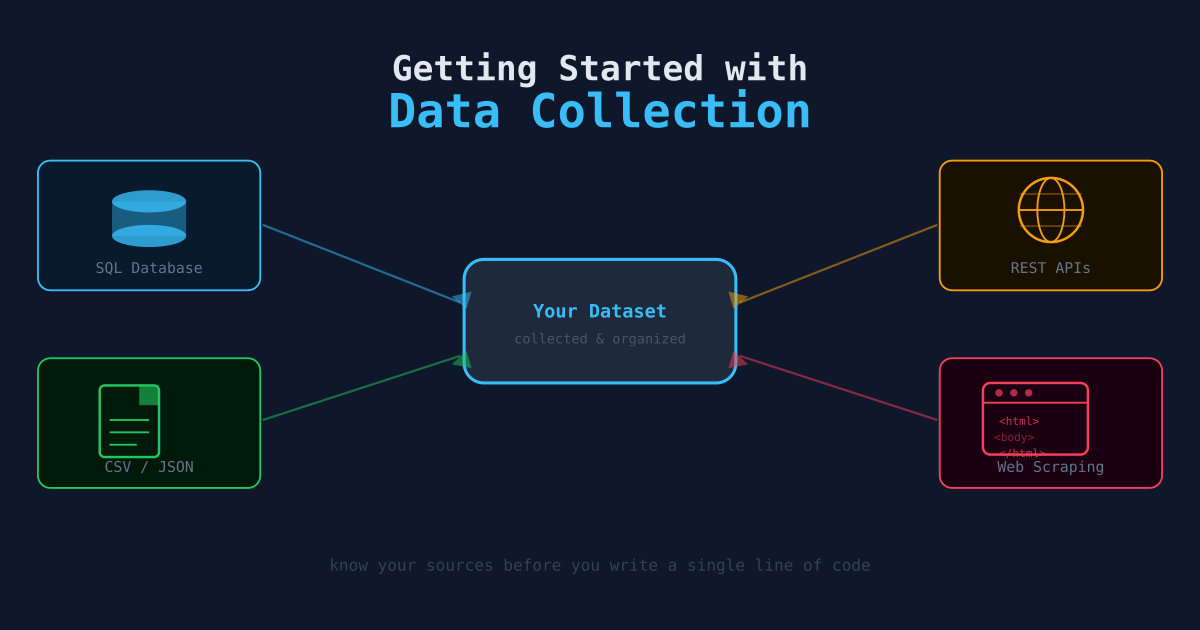
Before you write a single query or script, it pays to spend a few minutes mapping out what you actually need. Most data collection problems break down the same way: find the source, understand the format, pull the data, and organize it. This article covers each step at a conceptual level — the later articles in this series go deep on the code.
The Four-Step Collection Workflow
Every data collection task follows roughly the same pattern:
- Identify the source — Where does the data live? A public API, a private database, a CSV export, a web page?
- Understand the format — How is the data structured? Is it tabular (rows and columns), nested (JSON/XML), or binary?
- Pull the data — Write a script or use a tool to retrieve it. Handle authentication, pagination, and rate limits.
- Organize it — Store the data in a consistent structure so it’s easy to query, update, and reproduce.
Each step has its own failure modes. Skipping the format-understanding step leads to hours of debugging a script that almost works. Skipping the organization step means you end up with 47 files named data_final_v3_REAL.csv.
Types of Data Sources
APIs
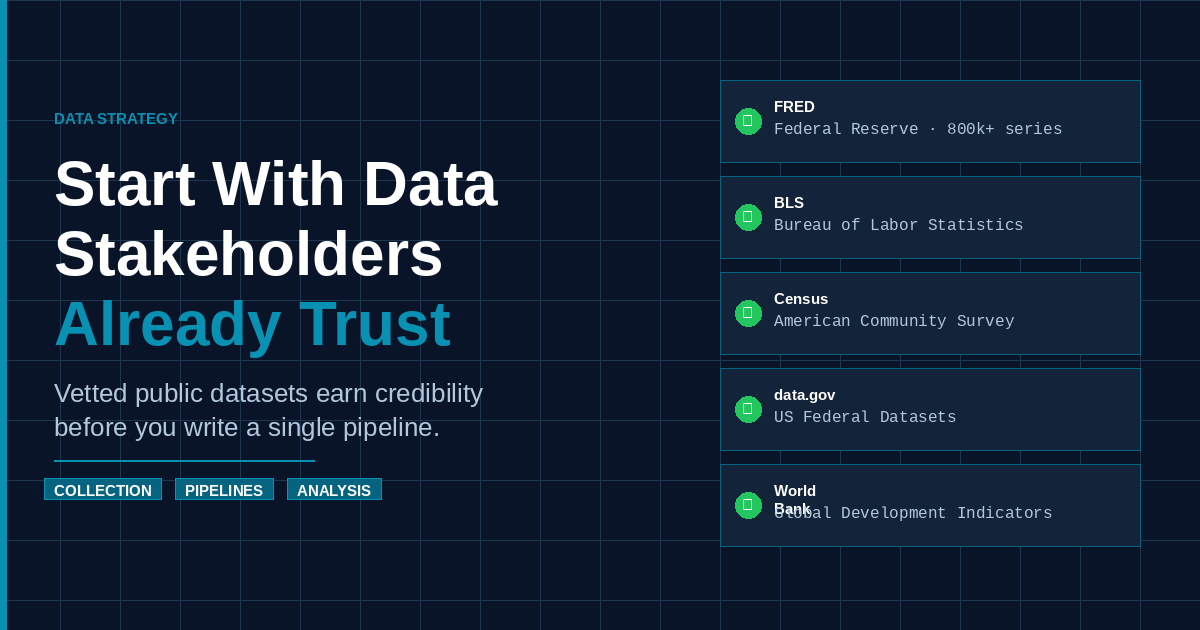
The most common source for programmatic data collection. An API gives you structured data (usually JSON) over HTTP. Most data you care about — weather, financial markets, social platforms, government statistics — is available via an API.
Key things to note: Does it require an API key? Is there a rate limit? Does it paginate results?
Databases
If you have direct database access (PostgreSQL, MySQL, SQLite, etc.), you can query data directly with SQL. This is the most powerful option when available — you can filter, join, and aggregate on the database side before pulling anything into your script.
Files
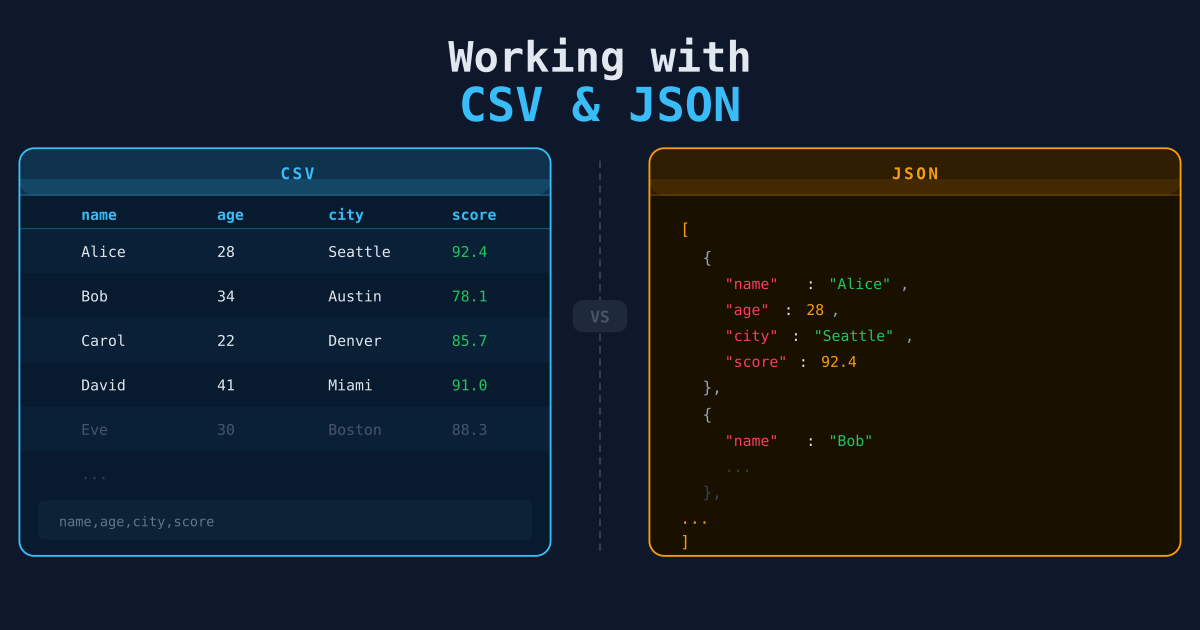
CSVs, JSON files, spreadsheets, and Parquet files are all common delivery formats. Many organizations export data as files rather than exposing an API. Files are simple to work with but require a manual refresh process unless you automate the download.
Web Pages
When there’s no API and no file download, scraping the HTML is an option of last resort. It’s fragile — the site structure can change at any time — but sometimes it’s the only path.
Understanding Data Formats
The format determines what tool you use to read it. Here’s a quick reference:
| Format | Best Tool | Notes |
|---|---|---|
| CSV | pandas, csv module, SQL COPY | Tabular; watch for quoting and encoding issues |
| JSON | json module, pandas | Can be flat or deeply nested |
| Parquet | pandas, DuckDB | Columnar; efficient for large datasets |
| XML | ElementTree, lxml | Verbose; common in older enterprise systems |
| XLSX | openpyxl, pandas | Spreadsheets; often have merged cells and formatting noise |
Planning Your Storage
Before writing any code, decide where you will put the data:
- SQLite — Great for a single-user local project. Zero setup, files are portable.
- PostgreSQL — Better for multi-user access, larger datasets, or when you need proper constraints.
- Flat files (CSV/Parquet) — Fine for archival or when downstream tools prefer files over databases.
Also decide on your schema early. What are the columns? What are the types? Is there a natural primary key? Answering these questions before you start pulling data saves significant rework later.
A Minimal First Collection Script
Here’s the skeleton of almost every data collection script you’ll write:
import requests
import csv

API_URL = "https://api.example.com/data"
OUTPUT_FILE = "data/raw/output.csv"

def fetch_data():
    response = requests.get(API_URL, params={"limit": 100})
    response.raise_for_status()
    return response.json()

def save_to_csv(records, filepath):
    if not records:
        return
    with open(filepath, "w", newline="") as f:
        writer = csv.DictWriter(f, fieldnames=records[0].keys())
        writer.writeheader()
        writer.writerows(records)

if __name__ == "__main__":
    records = fetch_data()
    save_to_csv(records, OUTPUT_FILE)
    print(f"Saved {len(records)} records to {OUTPUT_FILE}")
This pattern — fetch, validate, write — is the basis of every article in this series. The details change (pagination, authentication, nested JSON, SQL output) but the structure stays the same.
Next Steps
- Working with CSV and JSON — The two most common data formats in detail.
- Pulling Data from REST APIs — Authentication, pagination, and error handling.
- Python & Pandas for Data Wrangling — Transforming and reshaping data once you have collected it.